AutoPost AI Pro Manager

$128.00 / year
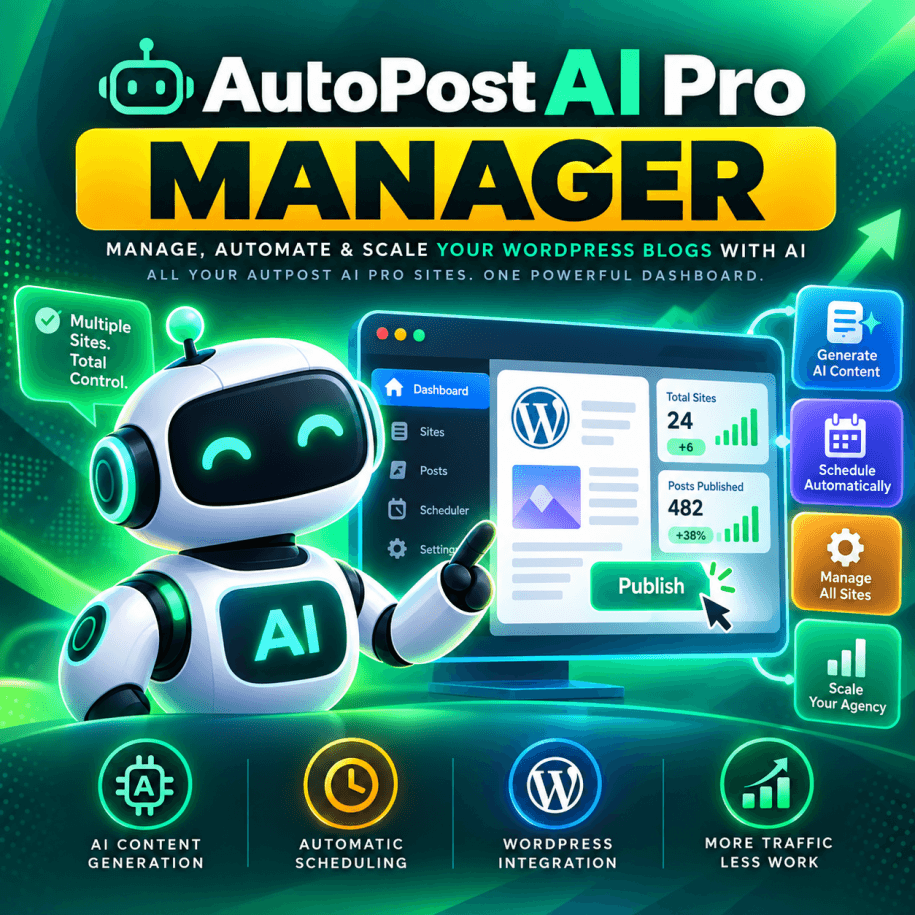
AutoPost AI Pro Manager is a centralized WordPress management dashboard for AutoPost AI Pro. Monitor multiple websites, track content creation and publishing activity, manage connected installations, and keep your AI-powered content automation running smoothly, all from one convenient dashboard.
🗂️ Multi-Site Dashboard displaying creation schedules, publication schedules, last created post, pending topics, pending approvals, pending publications, plugin versions, and site activity
📊 Real-Time Site Monitoring with on-demand status refreshes for individual sites or all connected installations
🔄 Automatic Site Pings every four hours to refresh status information and help keep WordPress CRON activity moving
➕ Site Management to add, edit, and remove connected AutoPost AI Pro installations
🔑 One-Click WordPress Admin Links for convenient access to each managed website
🧠 Centralized AI Automation Oversight for monitoring content queues, editorial approvals, creation activity, and publication schedules
🛡️ Secure API Communication with authentication support, SSL verification, and connection checks
⏱️ Last Ping Tracking showing when each website last reported its status
🔁 Remote Plugin Updates for managing supported AutoPost AI Pro updates across connected installations
✅ One Dashboard. Multiple Websites. Complete Visibility.
v6.0 - Released October 23, 2026
AutoPost AI Pro Manager: Centralized Multi-Site Management for WordPress AI Publishing
AutoPost AI Pro Manager is a centralized WordPress management dashboard built specifically for websites running AutoPost AI Pro. Monitor content creation, publishing schedules, pending approvals, and automation activity across multiple WordPress installations, all from one convenient control panel.
Designed for digital marketing agencies, publishers, and businesses managing multiple websites, AutoPost AI Pro Manager helps you maintain visibility into your AI content operations without logging into every website individually.
Manager communicates directly with each connected installation through the built-in AutoPost AI Pro API, providing access to supported site information, status updates, and management tools.
Features
🗂️ Centralized Multi-Site Dashboard
Monitor your connected AutoPost AI Pro installations through a single organized dashboard with important publishing and automation information for each website.
- Post Creation Schedule: View when each website is configured to generate new AI content.
- Post Publication Schedule: Monitor the separate schedule controlling when approved articles are published.
- Last Post Creation: See the most recent recorded article creation activity.
- Topics Pending Creation: Monitor the number of topics awaiting article generation.
- Last Publication: View the most recent recorded publication activity.
- Pending Post Approvals: Identify websites with generated articles awaiting editorial approval.
- Pending Publications: Track approved articles waiting for publication.
- Plugin Version: See the AutoPost AI Pro version reported by each connected installation.
🔄 Site Status Refreshing & WordPress CRON Support
- Ping All Sites: Refresh status information across your managed WordPress installations.
- Ping Individual Sites: Update the status of a specific website whenever needed.
- Automatic Background Pings: Run scheduled site checks every four hours.
- WordPress CRON Assistance: Help trigger normal WordPress activity on sites that may otherwise receive limited traffic.
- Last Ping Timestamps: See when each site last received a successful status refresh.
- Automation Visibility: Quickly identify websites whose content queues or publishing activity may need attention.
Scheduled pings help encourage normal WordPress CRON activity. Actual task execution remains subject to each site's WordPress configuration, scheduled events, and server availability.
➕ Connected Website Management
- Add Managed Sites: Register additional WordPress websites running AutoPost AI Pro.
- Edit Site Connections: Maintain saved connection settings and site details.
- Remove Managed Sites: Delete websites from your Manager dashboard when they no longer require monitoring.
- Saved Credentials: Maintain connection information through the plugin's administrative interface.
- One-Click Admin Links: Open a managed website's WordPress administration interface directly from Manager.
🛡️ Secure API Communication
- Built-In Pro API Integration: Communicate with supported AutoPost AI Pro installations using their existing API interface.
- Authenticated Requests: Support the configured authentication requirements of connected websites, including Basic Authentication where applicable.
- SSL Verification: Validate secure HTTPS connections during supported requests.
- Connection Checks: Identify connection failures that prevent current site information from being retrieved.
- Query Fallback: Support an alternate API request method where applicable.
- Independent Site Connections: Maintain each managed site's connection configuration separately.
🔁 Remote Plugin Update Management
- Remote Update Support: Perform supported AutoPost AI Pro plugin updates on connected installations.
- Version Visibility: Identify the plugin version currently reported by each website.
- Centralized Maintenance: Reduce repetitive site-by-site maintenance work.
- Multi-Site Efficiency: Manage updates alongside the monitoring and status tools already available in Manager.
🧠 AI Content & Publishing Oversight
AutoPost AI Pro supports advanced content generation through multiple AI providers, optional DataForSEO research, Custom Posts, smart AI imagery, editorial approvals, and automated publication workflows.
AutoPost AI Pro Manager complements those capabilities by giving administrators a centralized view of the publishing pipeline across connected installations.
- Content Pipeline Monitoring: See which websites have queued topics awaiting creation.
- Editorial Workflow Awareness: Identify sites with pending approvals.
- Publication Monitoring: See when content was last published and how many posts are awaiting publication.
- Scheduling Oversight: Review creation and publication schedules across multiple websites.
- Direct Site Access: Open the appropriate WordPress dashboard for detailed content editing, approval, and provider configuration.
AI writing, keyword research, image generation, and article editing remain functions of AutoPost AI Pro on each managed website. Manager provides centralized monitoring and supported management actions.
Who Is AutoPost AI Pro Manager For?
- 🧑🤝🧑 Digital Marketing Agencies: Monitor AI content operations across multiple client websites without constantly switching between dashboards.
- 🏢 Enterprise Website Teams: Maintain visibility into content creation and publishing activity across a portfolio of WordPress properties.
- 📈 Professional Publishers: Monitor content queues, article approvals, and publishing activity across multiple publications.
- 🌐 Multi-Site Website Operators: Manage separate WordPress installations from one central location.
- 🧰 WordPress Administrators: Simplify routine monitoring, status refreshing, and supported plugin maintenance.
Why Choose AutoPost AI Pro Manager?
- ✅ One Central Dashboard: View important publishing and automation information across multiple websites.
- ✅ Less Manual Checking: Refresh all connected sites instead of repeatedly visiting individual installations.
- ✅ Publishing Visibility: Keep track of pending topics, approvals, publications, and scheduling information.
- ✅ WordPress CRON Assistance: Help keep normal scheduled activity moving through regular site pings.
- ✅ Convenient Administration: Open managed WordPress dashboards directly from Manager.
- ✅ Remote Updates: Perform supported plugin maintenance across connected sites.
- ✅ Focused Functionality: Avoid unnecessary complexity with a purpose-built management interface.
- ✅ Native Pro Integration: Use the existing API included with AutoPost AI Pro.
- ✅ Scalable Oversight: Manage an expanding portfolio of connected WordPress websites.
Requirements
- WordPress: A compatible WordPress installation to host AutoPost AI Pro Manager.
- AutoPost AI Pro: Installed, activated, and configured on every website you want to manage.
- API Access: Valid connection credentials and access to the built-in AutoPost AI Pro API.
- Network Connectivity: The Manager installation must be able to communicate with connected websites.
- HTTPS: Recommended for secure communication between installations.
- WordPress CRON: Enabled and appropriately configured on connected sites for their scheduled automation workflows.
AutoPost AI Pro Manager Works With AutoPost AI Pro
AutoPost AI Pro Manager is a companion product designed to work alongside AutoPost AI Pro. The Pro plugin handles the AI-powered content creation, research, image generation, approvals, publication automation, sharing, and tracking. Manager provides centralized oversight and supported management controls for connected installations.
Explore AutoPost AI Pro to learn more about the content-generation and automation platform.
AutoPost AI Pro Manager brings your WordPress AI publishing operations together. Monitor multiple websites, maintain visibility into content schedules, refresh site statuses, manage supported updates, and scale your operations with confidence.
One Dashboard. Multiple Websites. The Guru Way. Shine Online!